

A growing business can outgrow its network in several ways at once. New desks consume switch ports, additional cameras and access points need power, and more traffic passes between equipment locations. The next expansion becomes difficult when the original design leaves no room for those connections or for the people who must service them.
Planning racks, switches and access points together creates a more useful foundation. This article focuses on capacity and organization for future growth, rather than diagnosing today's slow connection. The right design follows the facility, the device list and the likely next additions—not a universal recommendation for the biggest rack or newest access point.
Build an inventory with a realistic growth allowance
List current wired devices and planned additions. Include workstations, printers, phones, access points, cameras, uplinks and any equipment with special connectivity needs. Separate confirmed next-phase requirements from possibilities that may never be purchased. This makes spare capacity a deliberate decision instead of an arbitrary percentage.
Consider where devices are located and whether they move. A business adding a new office wing has different distribution needs from one increasing devices in the same room. Keep a simple location record with the inventory so proposed ports and pathways can be tied to a purpose.
Select an equipment location people can service
A rack needs suitable space, mounting, power and ventilation, along with access for patching and replacement. Account for the depth of the equipment, cables behind it and the way doors or panels open. Choosing only by rack height can leave too little working space even when the devices technically fit.
Protect equipment from unsuitable environmental conditions and casual interference. Consider who should have physical access and how maintenance can happen without disrupting nearby work. A tidy front view is useful, but accessibility behind the patching and a sensible cable route are part of the same design.
Allow for patching, power and future equipment
Rack units measure available vertical space, but switches are not the only items that need it. Patch panels, cable management, shelves, gateways and backup-power equipment may all occupy space. Leave appropriate access and airflow rather than packing every remaining unit simply because it is available.
Use labels and patching arrangements that make connections easy to follow. An organized installation should help someone identify the correct run without tracing an unlabeled cable across the facility. Document changes as equipment is added; growth can undo the original organization if no one maintains the record.
Count switch ports and uplinks separately
Connections between switches and the rest of the network can consume ports or require specific uplink interfaces. Include them in the design instead of assigning every available port to endpoints. Verify that the switches support the necessary connection types and management features.
Uplink capacity should follow expected traffic. Several access points or cameras can concentrate traffic through one shared connection. More endpoint ports do not increase that link's capacity. A useful design identifies where traffic converges and whether the proposed links support the intended work and recording patterns.
Calculate PoE power before adding devices
Power over Ethernet can supply compatible access points, cameras and phones through their network cable. Two separate checks matter: the power mode supported at each port and the switch's total available power budget. A device must be compatible with the connection that powers it.
Review manufacturer requirements for the proposed devices and allow for the conditions in which they operate. Adding a device to an unused port can still exceed the switch's power capacity. Keep future power requirements in the planning record, and do not assume that spare ports automatically equal room for additional powered equipment.
Use distribution points where the facility needs them
A main distribution frame, or MDF, serves as a main equipment point. An intermediate distribution frame, or IDF, can bring network distribution closer to another area. Their placement should follow cable routes, distances, access and the building's organization—not simply whichever closet happens to be empty.
Backbone links connect those locations. Fiber may be appropriate in a particular design, while other projects have different needs. Specify the media, interfaces, installation and testing together. A routed cable, a terminated connection and an operational backbone are different project milestones.
Place access points for coverage and capacity
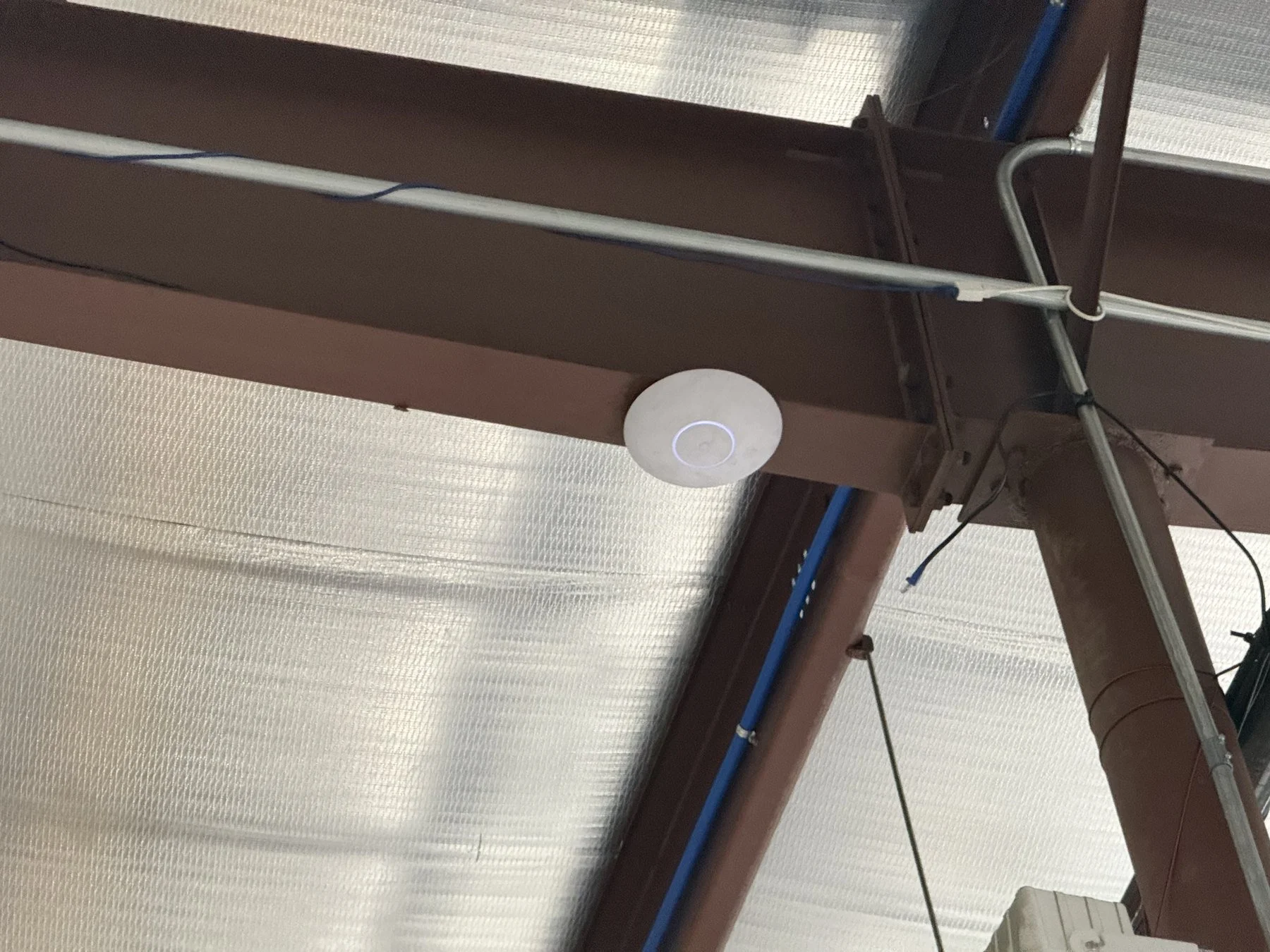
Access-point selection and placement should account for the building materials, mounting conditions and number of active devices. A single access point on the edge of a large space may leave weak coverage elsewhere. Conversely, adding several nearby devices without a coordinated channel and coverage plan can create contention.
Wired connections provide a practical backhaul where cabling is available. Wireless mesh can suit situations where a wired path is impractical, but it depends on a suitable upstream wireless connection and shared radio resources. Choose the method deliberately, and verify the intended areas under normal operating conditions.
Build administration into the growth plan
Decide how business devices, guests and other equipment should communicate. Separate networks and access rules can be useful, but they must be configured and tested around actual applications. A label in the network dashboard is not proof that the intended access restrictions work.
Establish who manages configuration, updates and credentials. Keep an appropriate configuration backup and clear equipment documentation. A growing network needs an operating process as well as hardware capacity; otherwise each addition can become an undocumented exception that complicates the next change.
What a coordinated facility project demonstrates
Bold City's completed manufacturing network overhaul brought Ubiquiti equipment, MDF and IDF racks, and Wi-Fi remediation into one project. Implementation was planned over a weekend around production. The example shows how equipment distribution and installation timing belong together.
The verified project record does not establish exact spare-port counts, measured throughput gains or completion of a separate proposed camera system. Those details are not needed to understand the planning lesson: racks and access points should be designed as parts of one facility network, with clear responsibilities and practical service access.
Ask for a growth plan you can understand
A proposal should identify current equipment, room for the next phase and the likely point at which another upgrade would be needed. Ask which limits will be reached first: ports, PoE power, uplinks, rack space or coverage. Discuss how additions will be labeled, configured and tested.
Bold City Smart Home provides business networking and Wi-Fi and structured cabling and infrastructure in Jacksonville and Northeast Florida. Tell us how your business expects to grow so we can plan the distribution, equipment space and connections around the next practical steps.
