

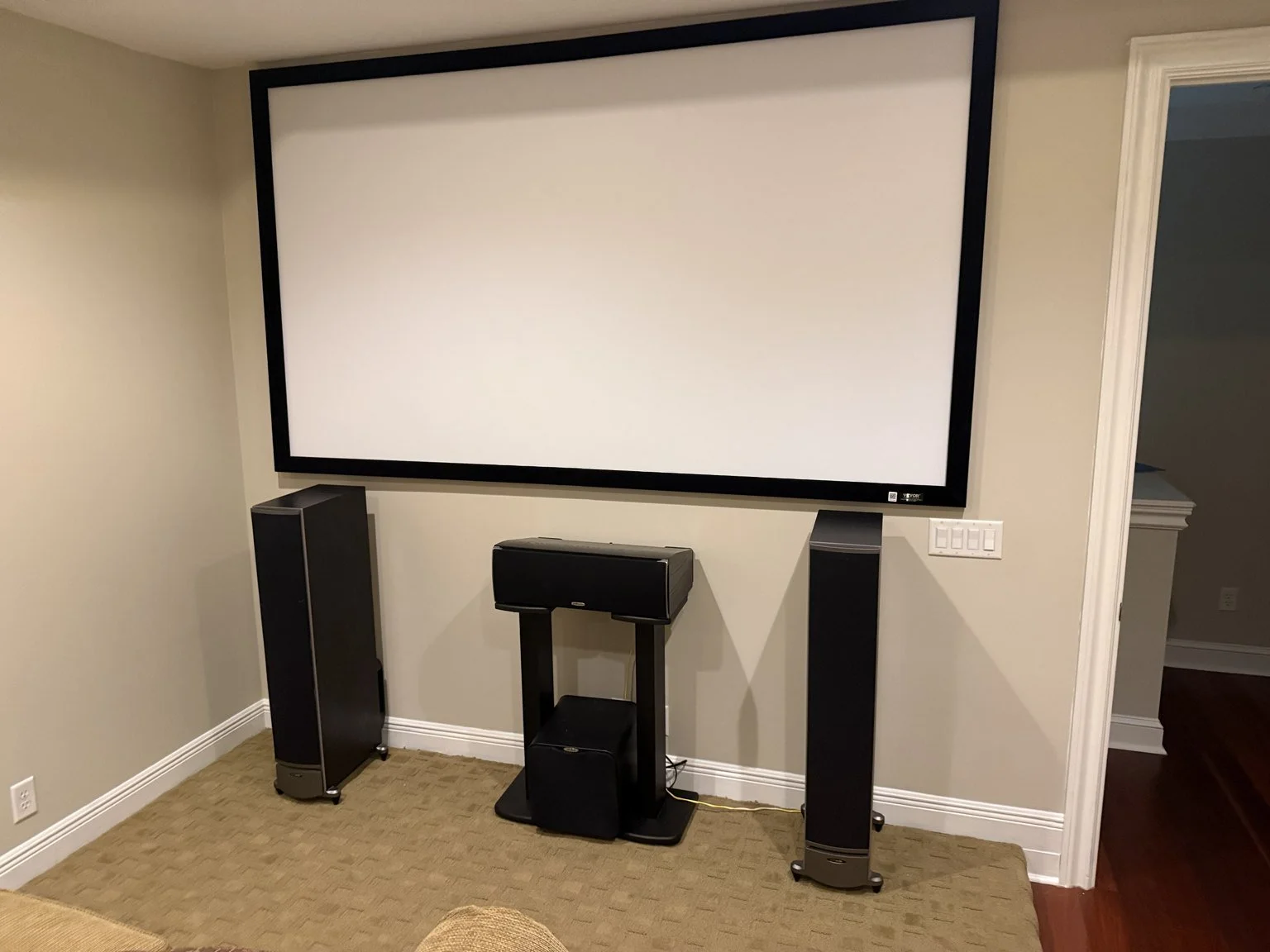
A home theater begins with how you want to use the room. Movie nights, sports, gaming and everyday television can lead to different priorities for the display, sound and controls. A professional installation brings those priorities into one workable system rather than treating each component as an isolated purchase.
The equipment matters, but so do seating, lighting, speaker locations, cable paths and the way someone starts a movie. A carefully selected receiver cannot fix a blocked speaker or an unsuitable projection layout. For Jacksonville homeowners considering a theater upgrade, it helps to understand the decisions that happen before equipment is mounted and the checks that happen afterward.
Define the experience and the room
Start with the number and location of the seats, the activities the room needs to support and the conditions in which it will be used. A dedicated room with controlled light presents different choices from an open living room. Doors, windows, furniture and traffic paths should be part of the plan.
Discuss what can remain from the existing system. Useful speakers, wiring or source equipment may be retained if they suit the new design and can be verified. An upgrade does not automatically require replacing everything. It should address the actual limitations and provide a clear reason for each major change.
Choose a display around viewing conditions
A television and a projector solve different installation problems. Projection requires planning the screen, ambient light, projector location and the path between them. The projector's supported throw range and the selected screen size need to fit the actual room. A large diagonal measurement alone does not establish a comfortable view.
Consider every intended seat, not only the central one. Screen height, viewing distance, brightness and possible obstructions influence the experience. Source resolution and display settings should be compatible with the equipment, but marketing labels are not substitutes for checking the complete connection and the room's conditions.
Plan speakers around listeners
Surround sound depends on speaker roles and placement relative to seating. Front speakers, the center channel, surrounds and any height channels serve different purposes. Choose a layout the room can support, rather than adding speakers wherever a ceiling opening is convenient.
Dolby Atmos requires suitable content, processing and a compatible speaker arrangement. Ceiling speakers are not automatically an Atmos system, and no specific channel layout should be promised before the room and equipment are evaluated. Clear dialogue and balanced sound at the seats are more useful goals than simply maximizing the speaker count.
Give bass and room behavior attention
Subwoofer position can affect bass at different seats. A location that looks tidy may produce uneven results, and increasing volume does not necessarily correct that. Evaluate placement and settings within the room's practical constraints, including neighboring spaces and the way the room is furnished.
Hard surfaces and open areas can affect sound, too. Calibration helps adjust compatible equipment for the listening space, but it cannot remove every acoustic limitation or substitute for reasonable placement. Discuss whether furnishings, placement changes or other room considerations should be addressed before expecting electronic correction to do everything.
Match the receiver and connected devices
The receiver or processor must support the intended sources, speaker layout and display connection. Check the inputs and features that matter for movies, gaming and everyday use. A television, streaming device and disc player may each behave differently, so compatibility needs to be considered across the complete path.
ARC or eARC can return supported audio from a television to compatible audio equipment over the appropriate HDMI connection. Available formats and behavior depend on the devices, ports and settings involved. The installer should verify the intended use rather than assume that connecting one cable enables every feature.
Plan wiring, mounting and access together
Speaker wire, network connections and AV pathways should fit the room and the finished appearance. Long or concealed signal routes need appropriate cable and connection choices. Where a renovation is underway, coordinate those routes before drywall and cabinetry make access more difficult.
Projectors, displays and equipment require suitable mounting and ventilation. Keep connections accessible enough for maintenance, and avoid placing heat-producing equipment in a sealed space without a suitable plan. Cable management should make the installation understandable and serviceable, not merely hide a tangle behind a closed door.
Support streaming with dependable connectivity
The entertainment system may depend on the home's network for streaming, control and updates. Where practical, wired connectivity can support stationary equipment without asking every device to share the same wireless link. Network needs should be considered alongside AV installation, especially in larger homes.
Whole-home music is a related but distinct function. A distributed-audio system should follow the spaces where music is wanted and how those zones will be controlled. It should not be assumed to provide the same experience as the theater's surround-sound system.
A completed example of coordinated work
Bold City's completed theater, audio and network upgrade combined an approximately 120-inch projection screen, an Epson Home Cinema 3800 projector and a Denon receiver. Equipment integration and recalibration were part of the theater work.
The broader project also included Sonos distributed audio and multiple Ubiquiti in-wall access points. Together, the theater, music and network work show the value of coordinated planning. The right equipment and scope still depend on each home and how its owners use it.
Test normal use before the handoff
A finished installation should be checked with the sources and activities the household expects to use. Verify picture and sound, input switching, streaming and volume control. Review speaker configuration and calibration results where supported, then listen and watch from the intended seats.
Controls deserve attention. Agree on a practical way to start the system, switch sources and adjust sound, and demonstrate it during the walkthrough. A system that performs well but leaves the household uncertain about everyday operation is missing part of the installation.
Compare the scope, not only the equipment list
Ask what planning, mounting, cabling, configuration, calibration and training are included. Clarify which existing components will remain and any limitations of the proposed layout. Keep later additions separate from the work being installed now so expectations stay clear.
Bold City Smart Home plans and installs home theaters and whole-home audio, with networking and low-voltage infrastructure considered where needed. If you are planning an entertainment space in Jacksonville or Northeast Florida, tell us about the room and the experience you want. We can build the installation around both.
