

When a business network feels slow, “we need faster Wi-Fi” is an understandable first reaction. Employees notice dropped calls, delayed files or a device that struggles to connect. Those symptoms do not identify the failing part of the system, however. Buying a newer access point before checking the wired network can leave the original problem untouched.
A commercial network upgrade should start with how the building operates: who needs connectivity, which equipment depends on it, and what happens when service is interrupted. The internet connection, cabling, switches, wireless access points and configuration all contribute to the result. For a Jacksonville office or Northeast Florida manufacturing facility, the useful question is what the network needs to support reliably.
Separate internet speed from local network performance
Your internet service connects the business to resources outside the property. The local network connects devices within it. A faster service plan cannot repair a damaged Ethernet run, an overloaded wireless connection or a poor link between equipment locations. Conversely, replacing local equipment will not solve an upstream service interruption.
Compare the same task on a wired connection and on Wi-Fi, ideally under normal operating conditions. Note whether the trouble affects every device, one area or one application. A file transfer to an on-site server and a cloud video meeting depend on different paths. Useful troubleshooting narrows the issue before anyone commits to a hardware package.
Map the work, not just the floor plan
A network drawing should reflect desks, production areas, shipping locations, meeting rooms and devices that rarely move. List computers, printers, phones, cameras and access points, along with equipment expected during the next phase of growth. Some devices need dependable wired connectivity more than they need a stronger wireless signal.
Discuss busy periods and movement through the facility. An empty warehouse does not necessarily behave like the same space with stocked shelves, machinery operating and staff carrying handheld devices. The design should consider the real environment rather than a speed test beside the router.
Check the wired foundation
Existing cabling deserves evaluation before it is reused or replaced. Cable routes, terminations, patching and labeling affect both performance and serviceability. A run that appears connected may have a termination issue or damage along its route. Testing helps establish which infrastructure remains useful and which needs correction.
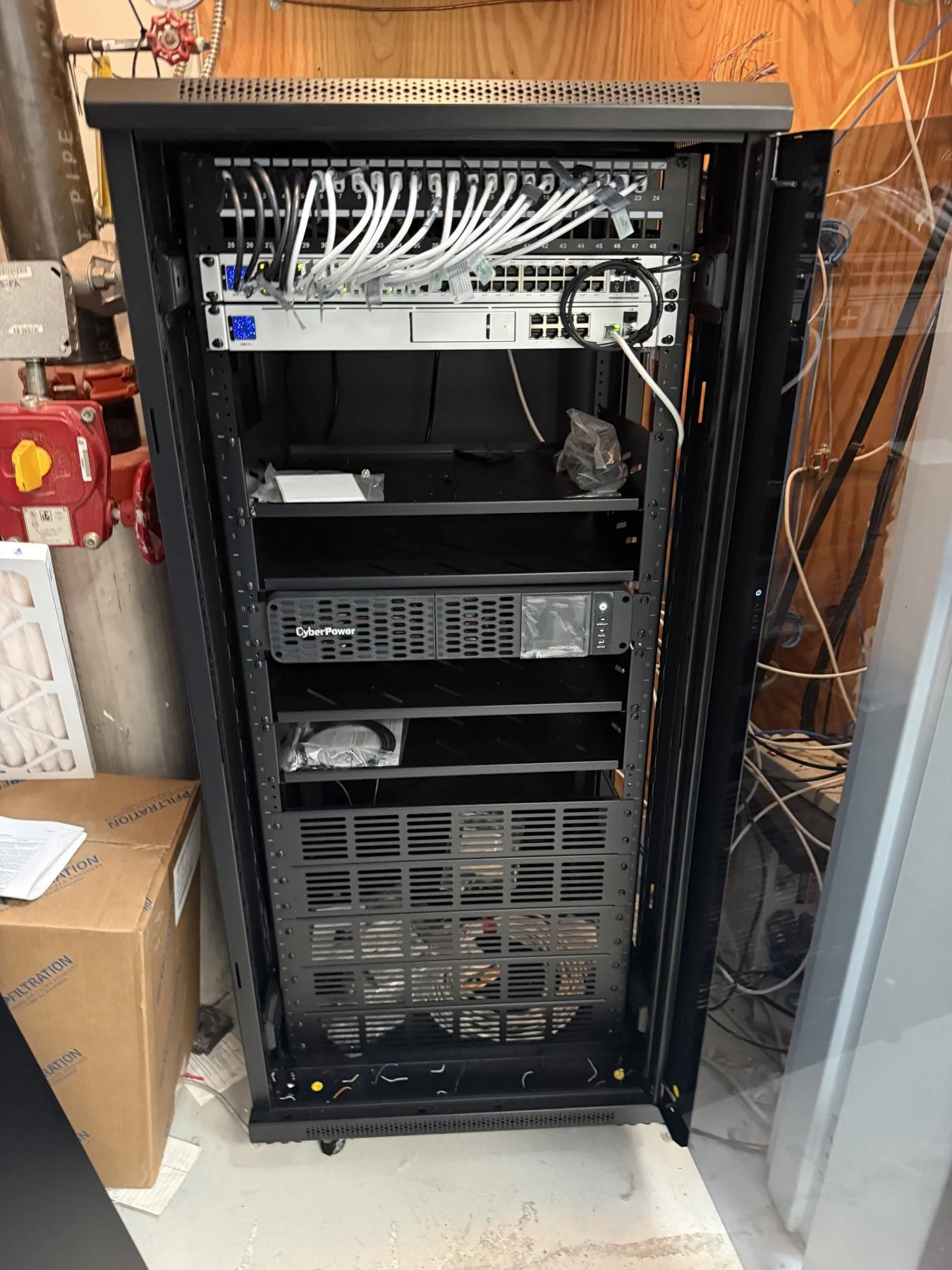
Long buildings may benefit from a main distribution location, commonly called an MDF, and intermediate distribution locations, or IDFs. These equipment points help organize how connections reach different parts of the property. Their links need capacity appropriate to the traffic they carry. Fiber may be useful for backbone connections, but the media and equipment should follow the distances and requirements of the actual project.
Choose switches around more than port count
A switch needs enough connections for the installed devices, uplinks and reasonable expansion. Its uplinks also matter: several access points can share a bottleneck if their traffic passes through an unsuitable connection to the rest of the network. Adding ports alone does not remove that limitation.
Power over Ethernet introduces another consideration. Cameras, access points and some phones can receive power through compatible Ethernet connections. Confirm both each device's PoE requirements and the switch's total power budget. A switch with spare physical ports may not have enough available power for the next devices you intend to add.
Design wireless coverage around the building
Professional access points should be positioned for the areas they serve, with suitable cabling and mounting. Metal structures, storage, walls and changing inventory can affect wireless coverage. More transmit power is not a universal fix: a client device still needs to send its traffic back to the access point.
Channel selection, overlapping coverage and the number of active devices also matter. Adding access points without coordinating them can create contention rather than a better experience. Wired backhaul gives each access point a connection to the network without relying on a wireless relay, although the cable and upstream equipment must still be appropriate.
Give different devices appropriate access
Business computers, guest devices, cameras and other connected equipment do not always need the same access. Separate networks and suitable access rules can help control communication between them. A guest network should be designed around what visitors need without casually exposing business resources.
Segmentation requires configuration, not just names in a management screen. Rules should be tested against the applications and equipment the business actually uses. The goal is an understandable network that allows necessary work and limits unnecessary access, with responsibility for updates and administration clearly assigned.
Plan the transition around operations
The installation schedule is part of the network design. Determine which services must stay available, when equipment can be moved, and who can approve a cutover. Prepare configuration, access arrangements and a practical recovery plan before disconnecting the old equipment. Identify any applications or devices that will need attention after the change.
Bold City's completed manufacturing-facility network overhaul combined Ubiquiti equipment, MDF and IDF infrastructure, and Wi-Fi remediation. The work was scheduled over a weekend around production operations. The project illustrates the value of coordinating equipment, distribution, building access and timing.
Specify what a finished upgrade should include
Agree on acceptance checks before work begins. Useful checks include connectivity at the intended work areas, operation of important wired devices, access-point connections and the applications employees depend on. Compare results with the original requirements rather than treating one maximum-speed result as proof of success.
Ask for clear equipment labels, an understandable connection record and a walkthrough. Establish who holds administrative access and how future changes will be handled. Backup power can support selected equipment temporarily, but runtime and dependencies need to be explained. No single device makes a business network immune to outages.
Build a proposal around the actual problem
A useful proposal explains what will be retained, what will change, where cabling is needed and how the installation will be tested. It should also identify future provisions separately from equipment included now. This makes it easier to compare designs without assuming that the largest equipment list is the best fit.
Bold City Smart Home provides business networking and Wi-Fi and structured cabling across Jacksonville and Northeast Florida. If your facility needs an upgrade, discuss the property and operating requirements with us. We can plan the wired foundation, wireless coverage and installation sequence together.
